I have been freelancing for over a decade, and in that time nothing has changed the job like AI has. Not smartphones, not social media, nothing close. These days my world revolves around it. I still want to be the best web designer around, but the way I stay there is by learning the AI tools that make my work faster and futureproof my career at the same time.
Here is the problem though. Search for AI tools for freelancers and you get lists of 20 or 30 tools, clearly written by people who have never opened half of them, with an affiliate link on every one. This is not that. This is the stack I actually use to run my business, plus the stuff I have tried and binned, so you do not waste money finding out the hard way.
If you are right at the start of your journey, read my roundup of free tools for freelancers first. That covers the foundations. This post is about the AI layer on top.
Want the full roadmap from zero to full time freelancing? My complete guide covers everything: profiles, pricing, platforms and going full time without the risk.
The one test every AI tool has to pass
Before we get to names, here is the rule I use, and I would tell you to steal it: an AI tool earns its place only if it saves real time on real client work. Not “this looks impressive in a demo”. Not “everyone on LinkedIn is talking about it”. Does it get an actual deliverable to an actual client faster, at the same quality or better? If not, it goes.
Most tools fail that test. The ones below pass it every single week.
The tools I actually use
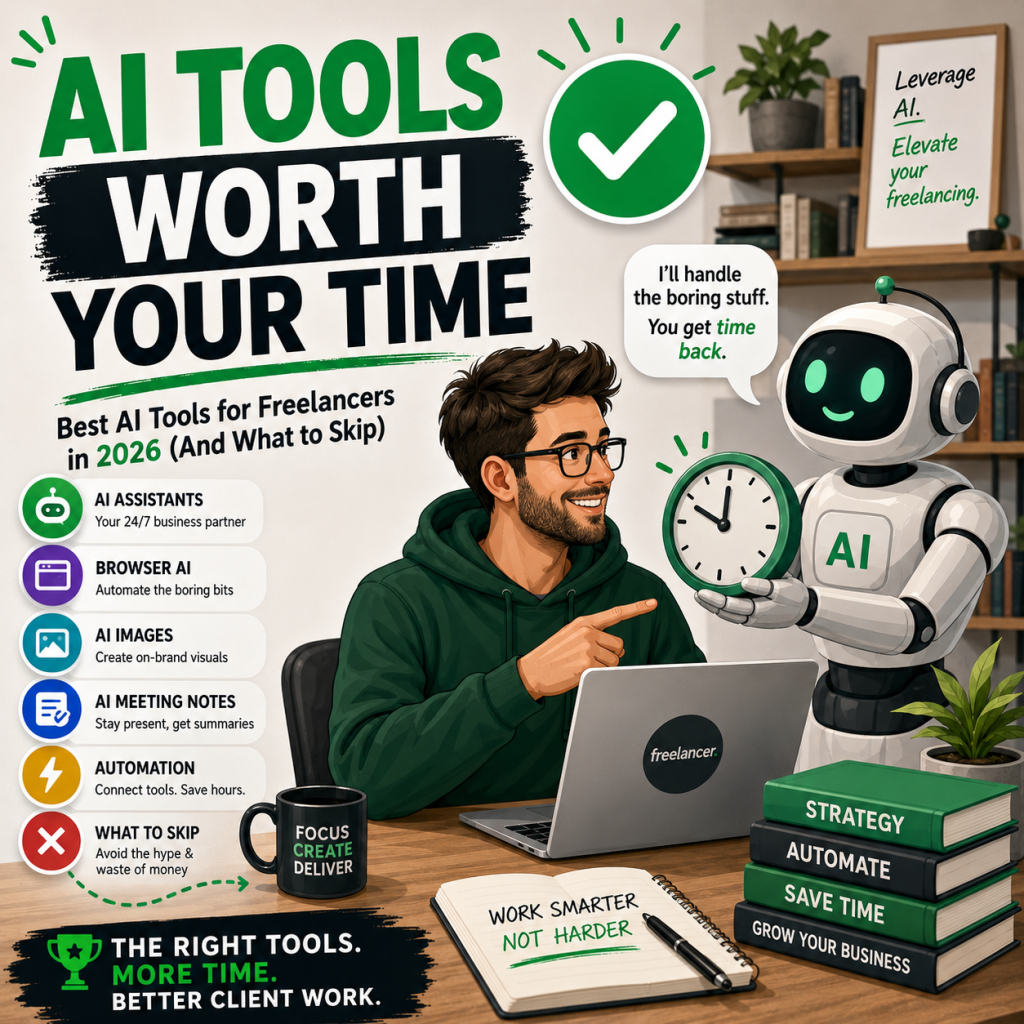
1. A proper AI assistant (this is 80% of it)
If you take one thing from this post: you do not need twenty AI tools. You need one genuinely good AI assistant that you get to know deeply. Mine is Claude, and I use it every working day. ChatGPT is the other big name and it is excellent too. Pick one, pay for the subscription, and learn it properly.
What do I actually use it for? Drafting proposals and client emails. Working through SEO strategy. Writing and debugging code. Turning a rambling voice note into a structured blog post. Summarising long documents. Sense-checking pricing decisions. It is the closest thing a freelancer can get to a business partner who never sleeps.
Here is the bit nobody tells beginners: the difference between people who get rubbish out of AI and people who get gold out of it is context. Give it your background, your client’s situation, your goals, and what good looks like. Treat it like briefing a talented colleague, not typing into a search box.
2. Browser-based AI for the boring bits
The newer generation of AI works inside your browser and actually does things: filling in forms, updating your website, doing repetitive admin while you watch. I use the Claude extension in Chrome for exactly this, and it has quietly taken hours of drudge work off my plate. When a task is boring, repetitive and lives in a browser tab, this is the answer.
3. AI image generation
Every blog post, social post and client presentation needs images, and paying for stock photography as a new freelancer is money you do not have. I generate my featured images and illustrations with AI, in a consistent style that has become part of my brand. ChatGPT’s image generation handles most of it. The trick is consistency: find a style you like, describe it the same way every time, and your content starts looking like it belongs to one brand rather than a lucky dip.
4. Canva with its AI features
Canva was already the beginner freelancer’s best friend, and its AI features (background removal, magic resize, design generation from a prompt) have made it stronger. For social graphics, proposals and simple client assets, it is still the fastest route from nothing to professional-looking.
5. AI meeting notes
I tell every new freelancer to get comfortable on Zoom, Google Meet and Teams, because video calls are how you win trust. An AI notetaker sits in those calls and gives you a summary and action list afterwards, which means you can be fully present with the client instead of scribbling notes. When a client mentions something in week one and you deliver it in week three without being reminded, that is how reputations get built.
6. Automation for the joins
Tools like Zapier now use AI to connect your apps and move information around without you touching it. New enquiry lands, gets logged, gets a holding reply, appears in your task list. None of this is glamorous. All of it is time you get back.
What to skip
This is the section the affiliate lists will not write, so let me.
Skip the single-purpose AI wrappers. There are hundreds of tools charging £15 a month to do one thing (write a bio, generate a proposal, summarise a PDF) that your main AI assistant already does as part of one subscription. Before you pay for any niche AI tool, ask your assistant to do the same job. Nine times out of ten, it can.
Skip AI logo generators for client work. I say this as someone who builds branding tools: an AI-generated logo is fine for a mood board or a starting point, but selling one to a client untouched is how you end up with the same logo as three other businesses. Use AI for ideas, apply human judgement for the final product. That gap is literally what clients pay you for.
Be sceptical of “AI will build your whole business” claims. I am a website designer, and AI website builders are supposedly coming for my job. Here is the truth from inside the industry: they produce something, quickly, and it is generic. Clients still come to me to fix and replace AI-built sites, because a tool cannot ask the questions a professional asks. The same applies to your trade, whatever it is. AI is a power tool, not a replacement tradesperson, and the freelancers who win are the ones holding the power tool.
Skip stacking tools you do not use. The fastest way to burn money as a new freelancer is subscribing to every AI tool that goes viral. One assistant, plus two or three tools tied to your actual specialty, is a complete stack in 2026.

Use AI without sounding like a robot
One warning before you go. Fiverr and every other platform is now drowning in AI-generated profiles, AI-written proposals and AI-everything, and buyers can smell it. If your messages read like they came off a production line, you have thrown away the thing that wins work: being a credible human.
So use AI to think, draft and organise, then make everything sound like you before it goes anywhere near a client. Your voice, your examples, your personality. AI does the heavy lifting behind the curtain. You are the one on stage.
Putting it together
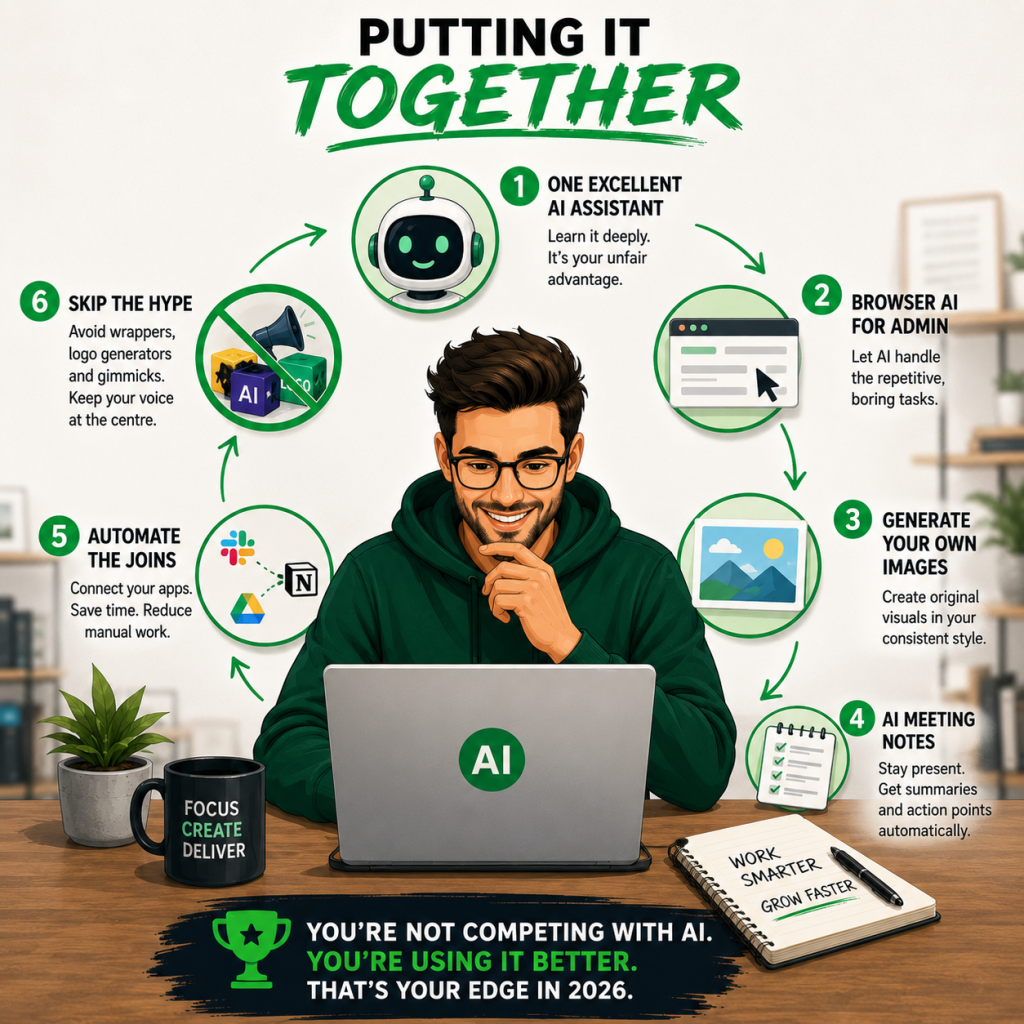
Here is the whole post in six lines:
- One excellent AI assistant, learned deeply, beats twenty tools used shallowly
- Add browser AI for repetitive admin
- Generate your own images in a consistent style
- Let AI take your meeting notes so you can be present
- Automate the joins between your apps
- Skip the wrappers, the logo generators and the hype, and never let AI replace your voice
Get this right and you are not competing with AI. You are the freelancer using it better than everyone else in your category, which in 2026 is a genuine edge.
This post is one piece of a much bigger picture. My freelancing guide gives you the whole journey, from your first order to leaving the 9 to 5, based on a decade of doing it myself
And if you are still waiting for your first sale, my guide to winning your first order on Fiverr shows you exactly how to build the credibility that gets you hired, with or without AI.